
No state history
A snapshot can’t tell you a process was healthy yesterday and is a zombie today. Talox keeps the before and after.
Public beta · macOS 14+
Talox is the automaton that watches every process on your Mac — what it is, who owns it, what state it’s in, and what changed. Then it lets you do something about it.
WHY A SNAPSHOT ISN’T ENOUGH
A process isn’t just a number. It has an owner, a start time, a state, and a history. When something changes, you need the before and after — not just right now.
A snapshot can’t tell you a process was healthy yesterday and is a zombie today. Talox keeps the before and after.
A PID doesn’t say which app, login item or launchd job owns it — or whether it’s an orphan. Talox resolves the owner and shows the evidence.
Seeing a problem isn’t managing it. Stop it, restart it, or leave it alone — with confirmation and a record of what happened.
WHAT TALOX DOES
A live roster, state history, ownership evidence and control — plus the disk each app owns and what the tool itself costs.
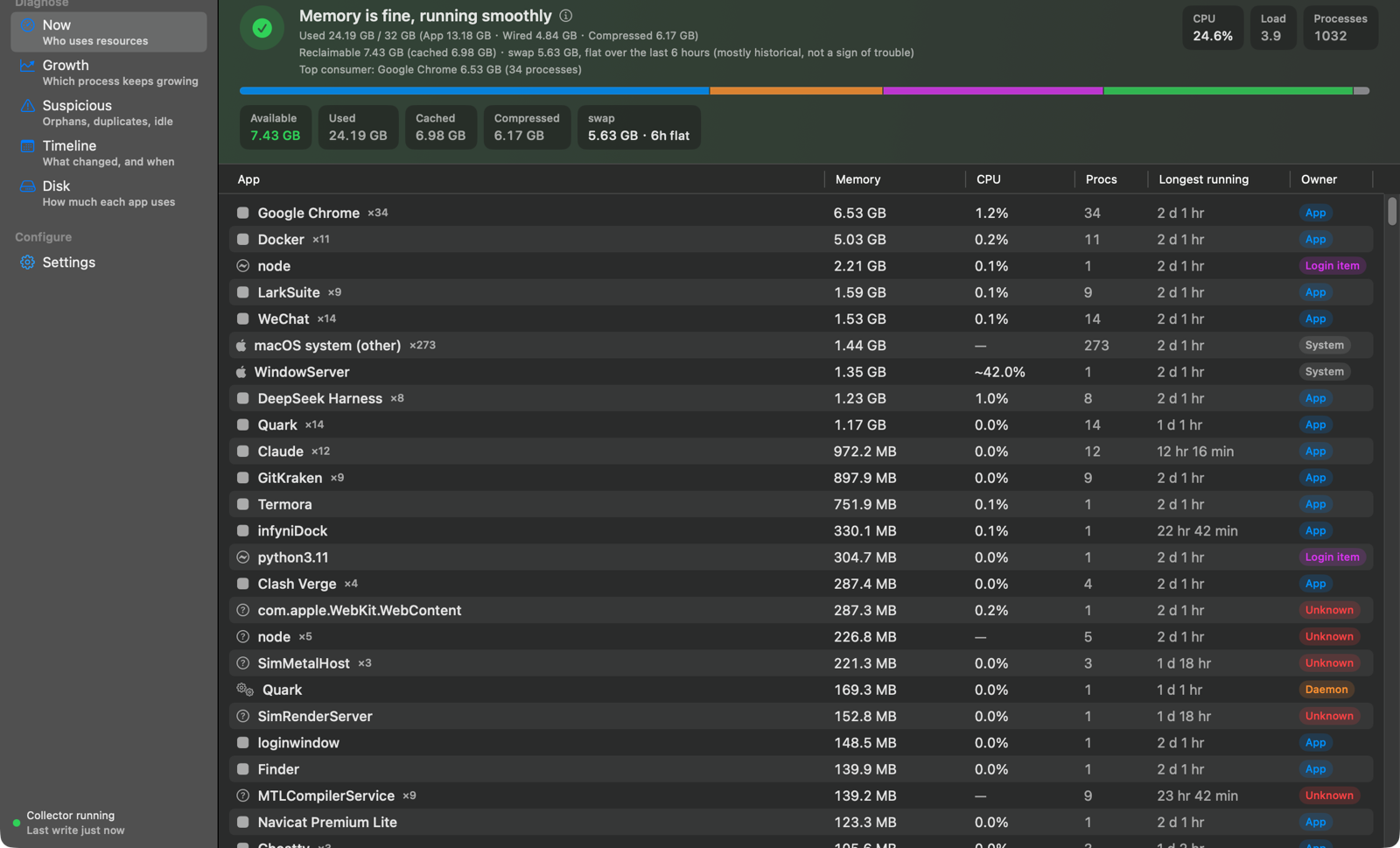
01 · THE ROSTER
Talox groups processes by owner and shows state, footprint, CPU, uptime and the evidence behind each attribution — with one verdict on the whole machine.

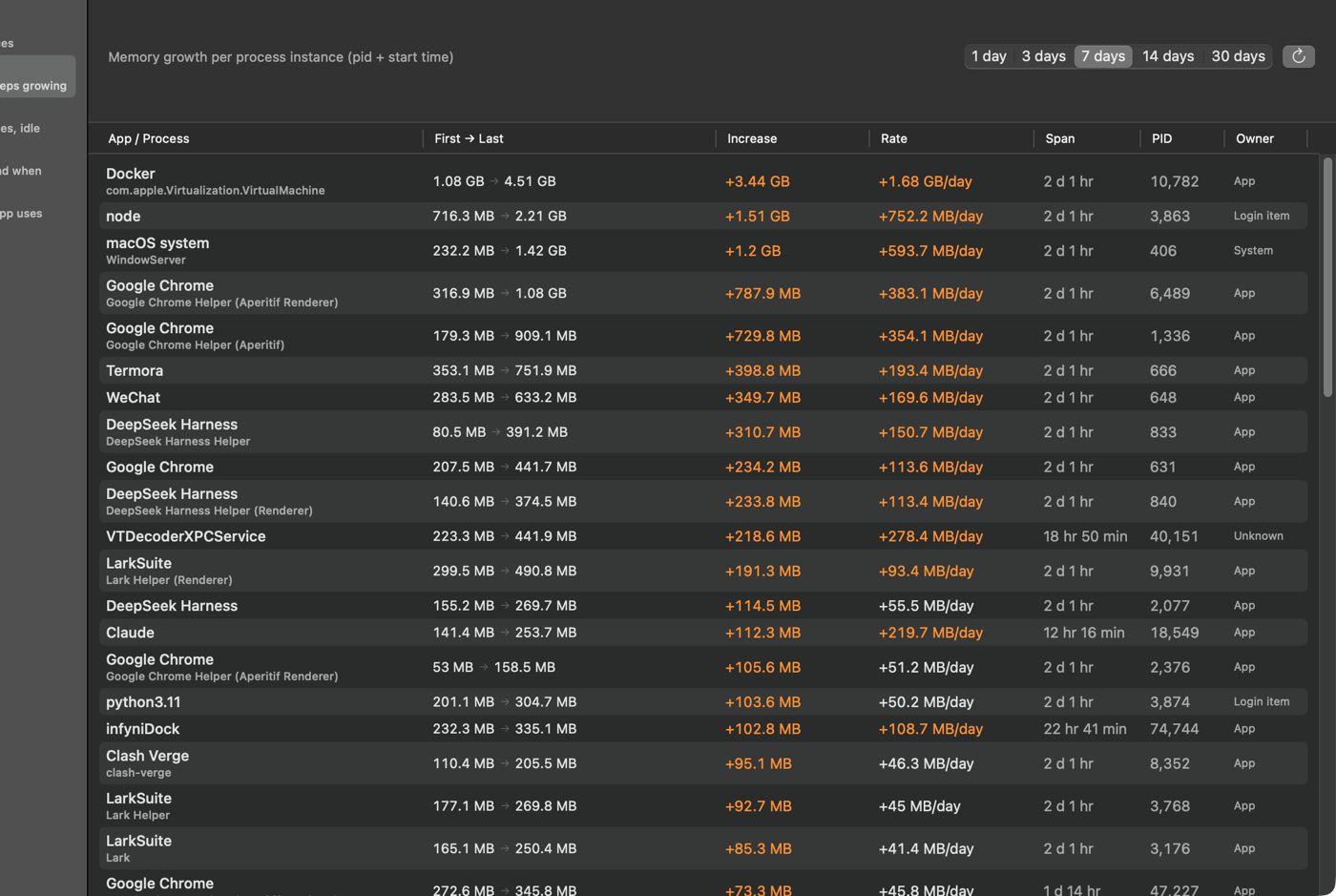
02 · HISTORY
Per-instance growth over 1–30 days. A restart creates a new instance, so a leak can’t hide behind a recycled PID.
03 · ANOMALIES
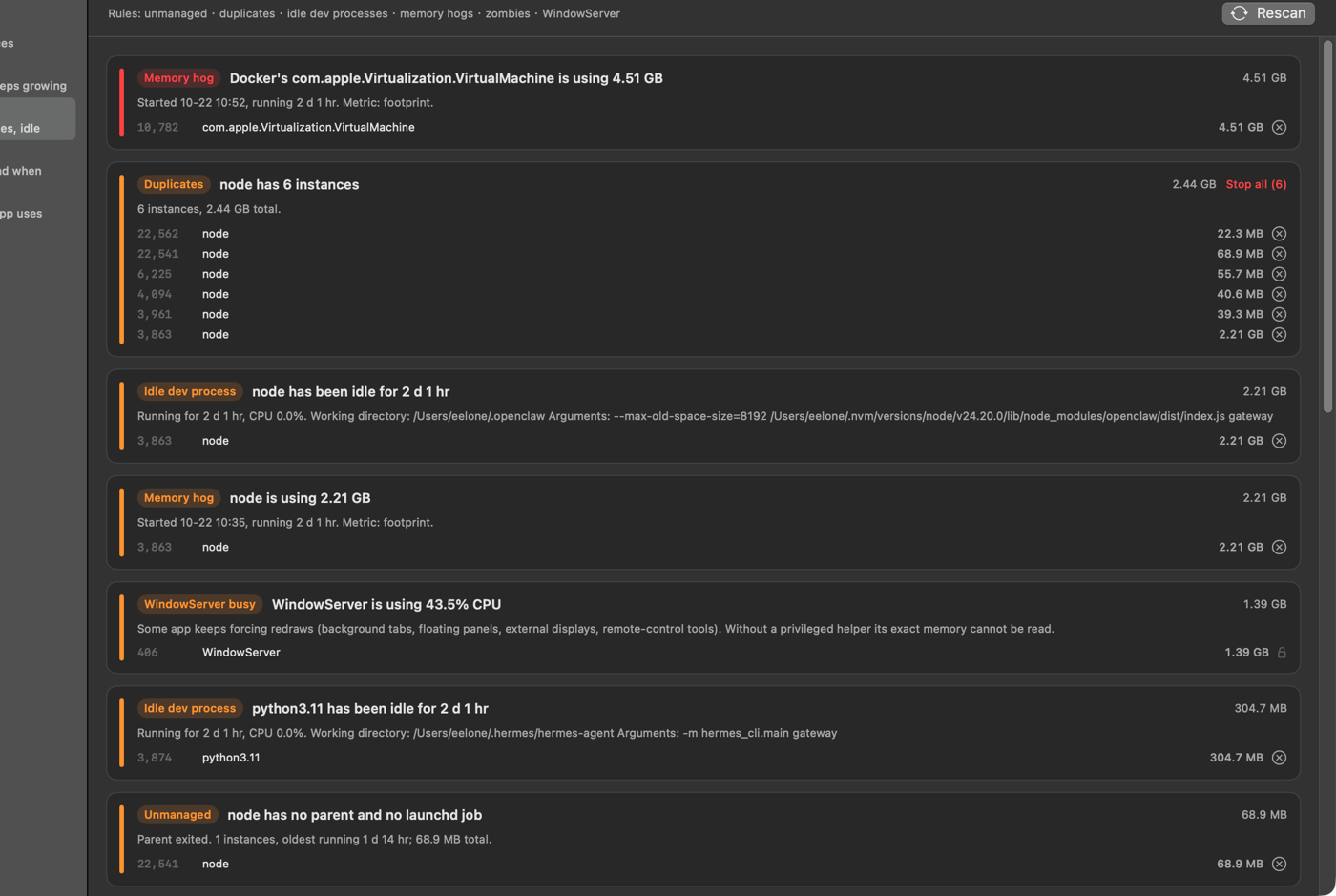
Orphans whose parent died, duplicate instances, dev servers idle for hours, memory hogs, zombies, and a WindowServer that never stops drawing.
04 · TIMELINE
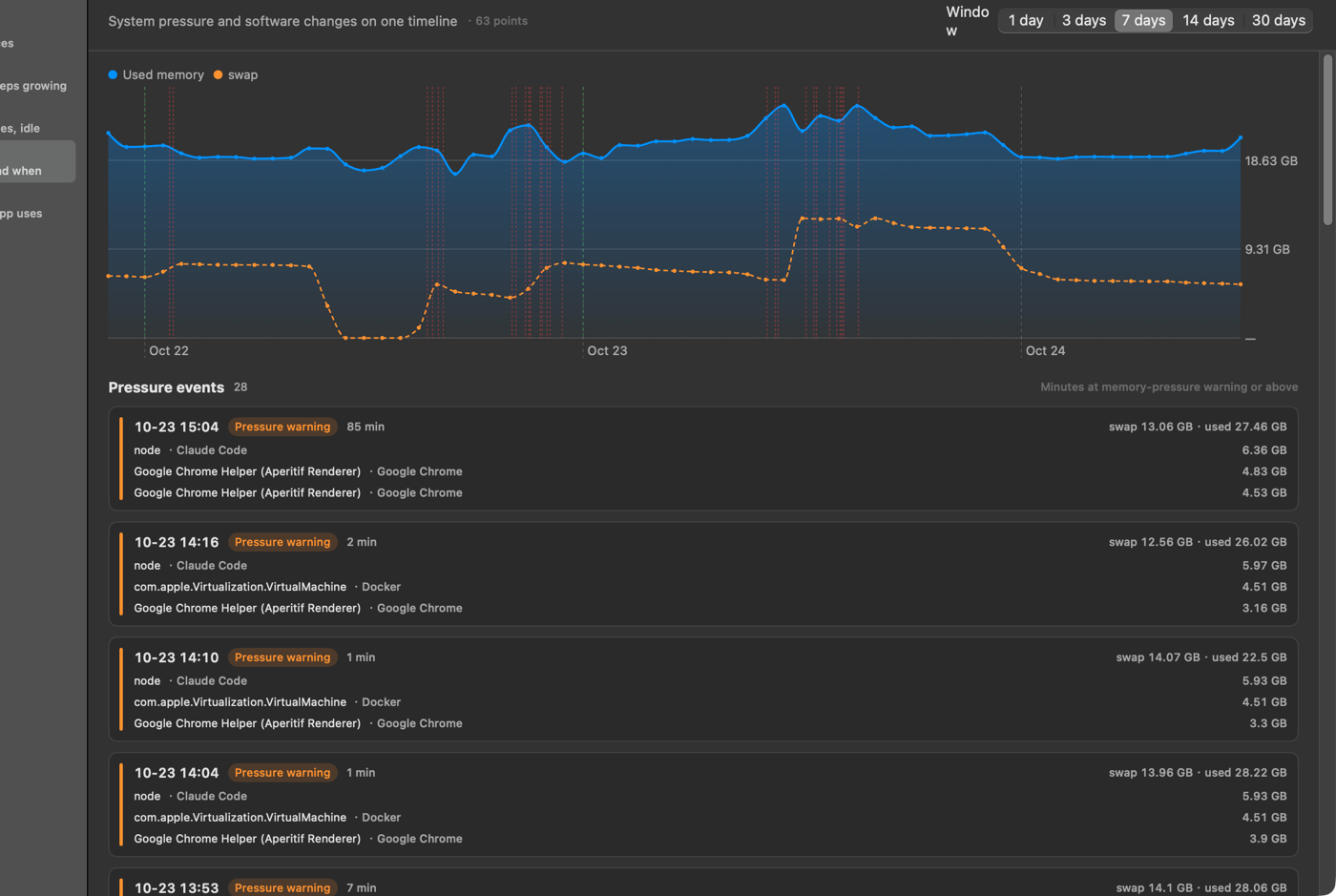
Software installs, updates, removals and memory-pressure episodes share one axis. The day something changed sits next to the day it showed up.
05 · DISK
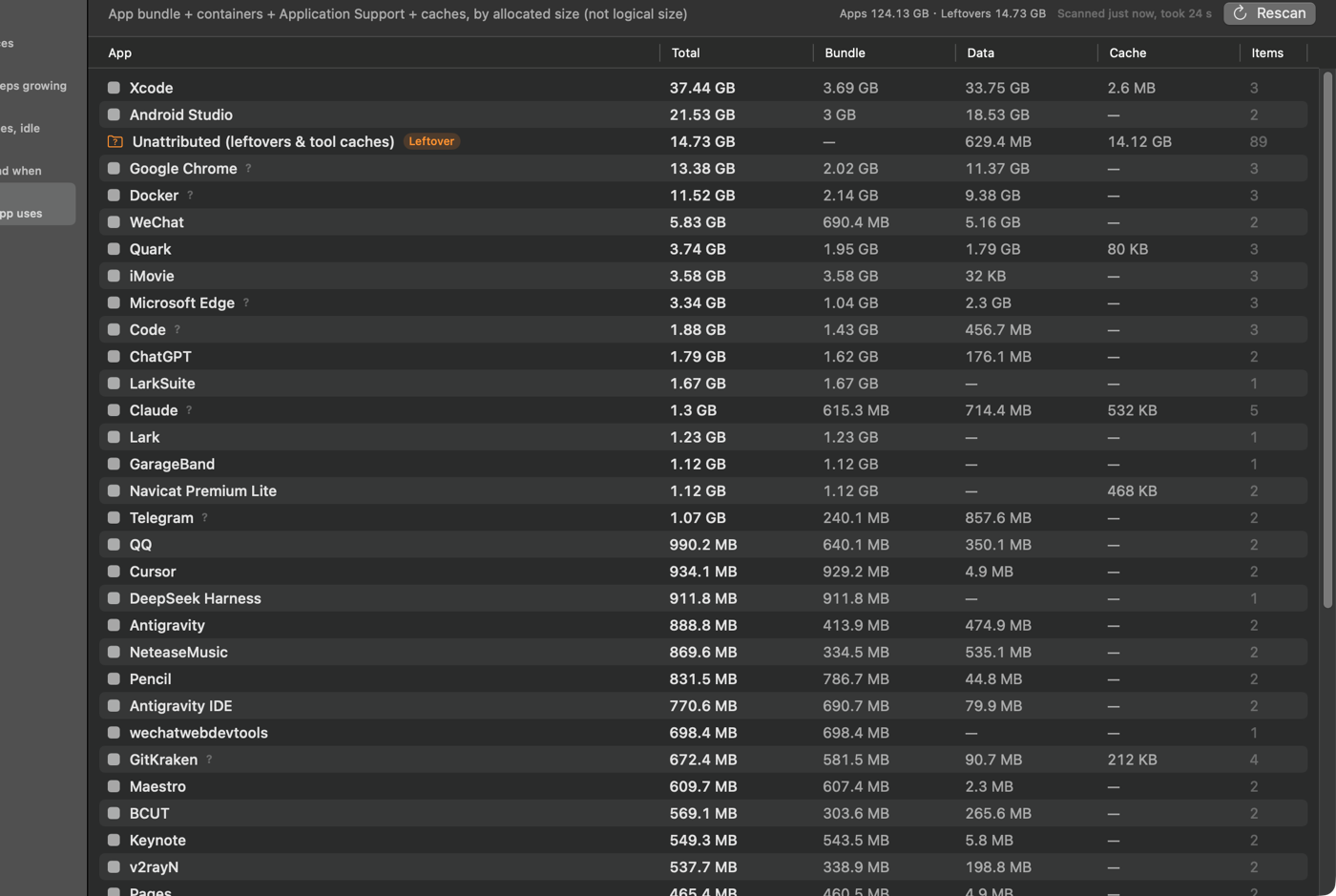
Bundle, containers, Application Support and caches, counted by allocated size. Residual data gets advice — never an automatic delete.
06 · SELF-COST
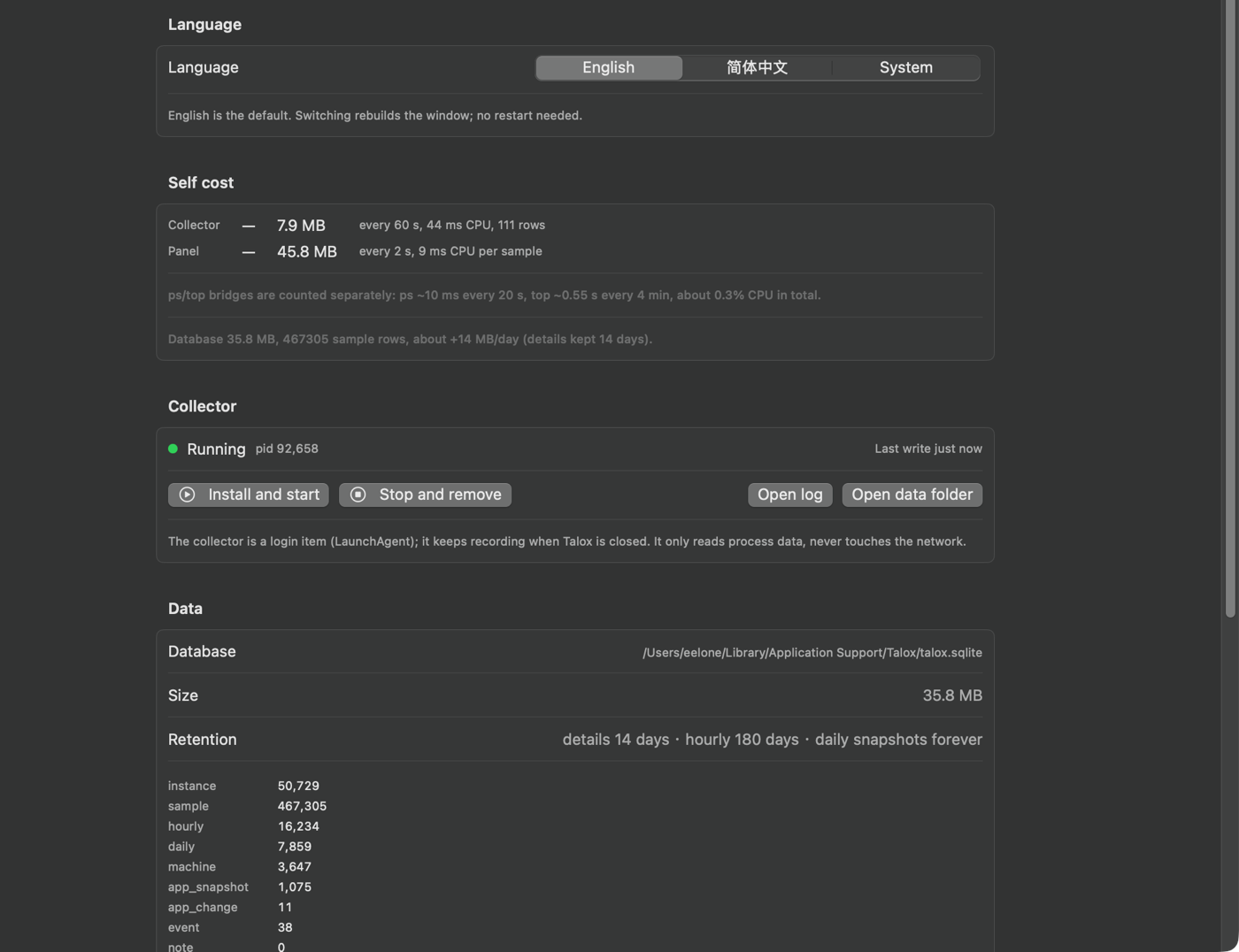
A menu bar app with no Dock icon. The collector samples every 60 seconds; the panel refreshes every 2 seconds only while it’s open.
LOCAL BY DESIGN
No account. No process data leaves the Mac. Talox writes to a single SQLite file you can open yourself; anonymous install counts and crash reports are optional.
System processes owned by other users can’t be read without root. Talox fills them in with ps/top and marks the estimate as ≈ or ~.
PRICING
At 1.0 there will be a one-time license — no subscription, no account. Beta testers keep a launch discount.
Talox Beta
Everything, while we finish 1.0.
$0
No card. No sign-up form. Just email and we’ll send the build.
Process states. Talox observes every process, records its footprint and CPU over time, resolves who owns it, flags anomalous states (orphan, duplicate, idle, zombie) and lets you stop or restart processes you own.
Activity Monitor is a live snapshot. Talox keeps the record: per-instance history, ownership evidence, state changes and control. You can see what a process was doing before it became a problem.
No. Talox manages process states — running, idle, orphaned, duplicated, zombie — plus ownership, CPU, history, control and disk. Memory pressure is one signal among several.
phys_footprint is the number Activity Monitor shows and the number the system actually accounts for. RSS double-counts shared memory and drifts from reality, so Talox only falls back to RSS for processes it cannot read.
Only anonymous install counts and optional crash reports: a random install ID, app version, macOS version, and — if enabled — a crash stack trace. No process names, paths, window titles or disk contents. Turn both off in Settings.
No. It runs entirely as your user. Processes owned by other users, such as WindowServer and launchd, cannot be read without root; Talox fills those in with ps/top and labels the estimate.
State history needs a process that keeps sampling when the window is closed. The collector is a login item, samples once a minute, and can be stopped at any time in Settings. The app keeps working with the collector off, just without new history.
It can stop processes owned by your user, one at a time or as a group, after a confirmation. Critical system processes are refused. It never kills anything automatically.
No. The disk tab gives advice and a suggested command; deleting is always your decision. Containers and unknown folders are marked “check first”, never “safe”.
macOS 14 or later, on Apple silicon and Intel. It is a menu bar app with no Dock icon.
No. The App Sandbox blocks the process APIs Talox depends on — footprint, signals, ps/top and other apps’ containers. It will be distributed directly as a notarized app.
Not yet. The core is a small Swift codebase with no third-party dependencies; we’re deciding how much to publish. The privacy claims are verifiable: process data is only written to a plain SQLite file, and the only network client is the optional anonymous heartbeat/crash reporter.
PUBLIC BETA
Talox is in public beta. The notarized 1.0 build is next; beta invites go out first, and beta testers keep a launch discount.